page created 000329.
Modified 000919
[ My homepage ]
 the stuff the stuff
Click thumbnails for bigger images
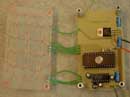
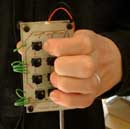
|
How, why, etc..
It was because of the slow input speed of the Palm IIIx using Graffiti (I reach something like 25 wpm) I decided I should get some kind of hardware
for text input. Since I've been curious on wearable computers for a while I had seen the Twiddler, and
since I play the guitar, a chording keyboard seemed like a win win thing ;). The Twiddler, however, costs about $200 which I
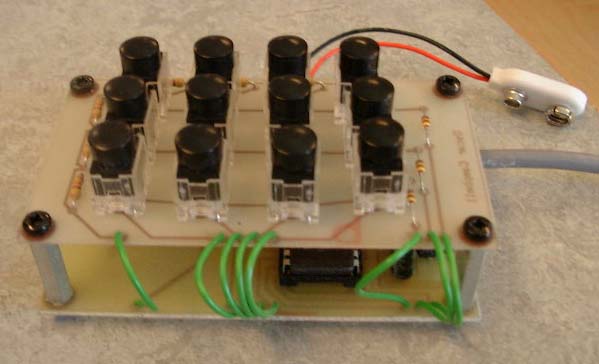
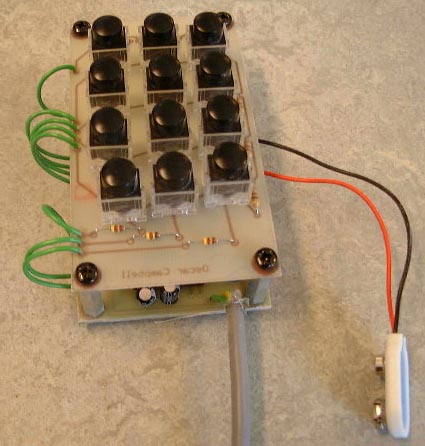
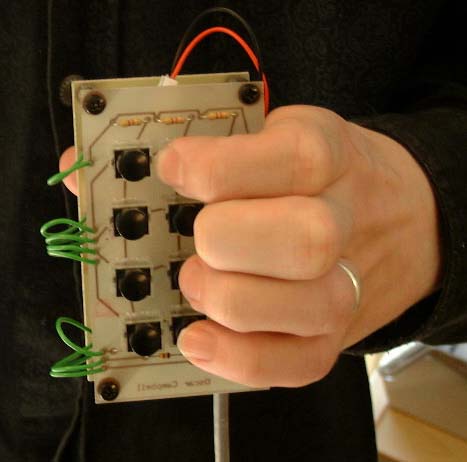
find to be extremly high priced, so I decided to build a chording keyboard myself. I used the twiddler as a rolemodel. I used the twelve key layout
but skipped the thumbkeys, since I think the thumb should be used to stabilize the keyboard in the hand.
Since equipment were available for programming MC68HC705 processors at school, that was an easy choice (but not a good choice; the keyboard
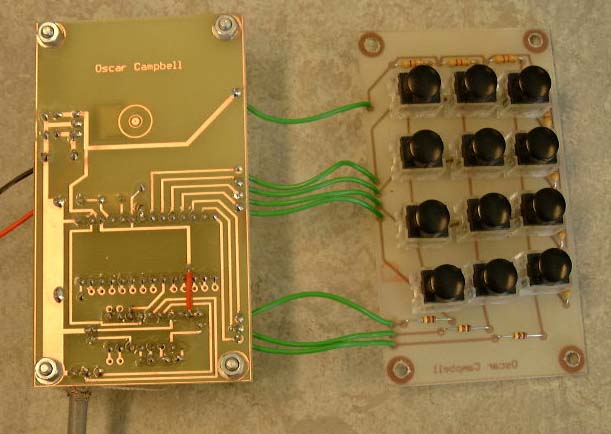
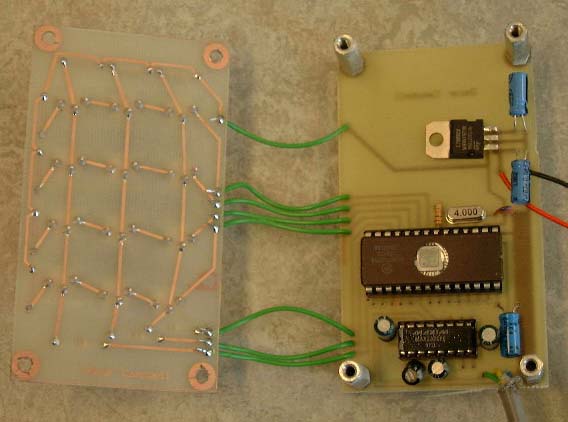
really sucks power, 100mW!). I designed the circuits, first just the "keys circuit" and then the "motherboard", in the Linux program Eagle, and they worked at first try. (I'm really impressed with myself [sorry
if it sound like bragging], I thought it was gonna be much harder to design hardware! Of course I wouldn't have pulled it off completely on my own, I
got a lot of help and hints from my teacher.)
I made the "motherboard" a bit more general, so that it would be easy to reuse for other projects, not relating to the keyboard. Making it more specific to
the keyboard project would ofcourse decrease the size further.
My first thought was to just spit out the bit patterns read from the keys two bytes a time through the serial port and then generate characters
in the driver on the host (a Linux system at the time, since I didn't know how to do serial interfacing on the Palm and rather wanted to spend my
time on the keyboard than learning that at the moment). Since I made this as part of my "microprocessor technology" class, I was however "forced"
to code the ascii character generation in the HC705 processor (as to prove my ability to code for it). So I did that instead. Ofcourse this has a benefit; I don't have to code a driver
since I receive pure ascii characters on the serial port, therefor I only needed a terminal to try the keyboard. Ofcourse I had to be a
bit restrictive; Instead of being able to use 4096 combinations (although that's really not possible anyway, I made a slight mistake when designing
the keys-circuit) one can only form 512 combinations using either keys in one column or combining keys in the middle column with keys in one of the outer columns. The two outer
columns can't be used together in a chord, because I have two LUT's of 256 symbols, depending on which outer edge your "working on", that's all the microcontroller's memory
would allow.
I could mention that this project also was part of my paper ("specialarbete"). If you know swedish you can read it here.
Character Layout
No way I was gonna rip the inferior Twiddler layout, instead I analyzed letter frequency and did a couple of layouts according to that. All those
layouts became hard to remember and wasn't really as optimized as I had thought. I ended up "translating" the motions of the pen based QuikWrite system
to chord combinations. I had been playing around with QuikWrite for a while on my Palm so that layout became rather easy to remember.
For a future keyboard I would however choose a completely different layout.
*new* (000919) I've made a new layout slightly based on letter ocurrance. I tried to make psychological "hooks"
to the QWERTY layout, and it seemed to work because the layout was easy to use and remember after just a few minutes. All alfanumerics are formed using two-key combinations, except z, x, p, å, ä, ö which requires
three keys simultaneously.
"Arrow keys" are given one-key presses and therefor it is easy to "navigate" when editing text for an example. "enter", "space" and "backspace" are also
given single keys. Other than that I haven't thought too much about it. I want to build a new keyboard before I spend any energy making a good layout.
Conclusions
The keyboard became rather big, but it can easily be shrinked a lot, because the metal distances are way too long and the processor and MAX232
sits in a socket and can be lowered if soldered directly into the circuit.
The keys I used required way to much 'push' to be quickly and easily depressed, they make the keyboard impossible to use realistically. The problem is
no longer limited to forming chords fast, but you have to struggle to hold the keys in for the more 'uncomfortable' chords. One should easily be able
to depress the keys without having to put any effort in to it, other than forming the chords. Another boring thing is that the keyboard sucks much
power; 100mW.
So everythings bad? No! I've learned a lot, and I will eventually build a new keyboard which should be small enough to be carried in the pocket
and easily plugged in to the Palm (or a wearable, if I have the money to build one some day). Well, I guess I'm stuck with Graffiti for a while longer...
The next keyboard
The next keyboard I'll build (when I have time) will possibly have another physical layout, I think two rows of four keys and three keys for the thumb
that can be worn on the forearm, or perhaps it'll be just like now. I'll make sure I get slim keys that are very easy to depress though.
I'd use another processor for a new project, probably some PIC, and I'd implement the "character generator" in the driver on the computer (the Palm in this
case) instead of on the device. Perhaps one should implement something similar to T9 in addition to entering exact
characters with chords? Dunno.
Get your hands on the stuff..
The HC705 source code.
The configfile->HC705data converter Perl script.
A layout config file
A later config file (new layout)
An explanation of the config file synthax.
The schematics in Eagle format
(when I put the zip together ("now") I didn't remember which of the files were the latest and
most accurate, and now I don't have Eagle on my own computer, so.. Just check them out.
I wouldn't build a new one from these myself, but instead would design a new layout, it's really just here for completion m'key?)
My paper (special arbete) in swedish about mobile input/output solutions (including this keyboard).
Copyright (c) 2000, Oscar Campbell
|